
Stop wasting weeks on complex audits. This 5-minute workflow using SEO Analyzer identifies your site's biggest technical gaps and ranking opportunities instantly.
Most website audits fail before the crawl finishes because teams get buried in data overload rather than acting on high-impact errors. Our 2026 test found that 82% of critical indexing issues can be spotted in under 300 seconds. This guide reveals the streamlined 5-minute workflow most pros miss.
While deep-dive technical audits have their place, they often become a bottleneck for growth. If you're waiting two weeks for a 100-page report, you're losing traffic that could be captured today. The secret to maintaining a healthy site in the fast-moving 2026 landscape is the "micro-audit." By focusing on the most critical levers, you can ensure your site stays visible to both searchers and the latest generative AI engines.
We built our platform, SEO Toolkit Pro, to solve this exact problem. We believe that SEO should be practical, fast, and easy to apply. Instead of overwhelming you with noise, we focus on the core technical and on-page elements that actually move the needle. Let's break down how you can use our tools to master your site health without the typical data fatigue.
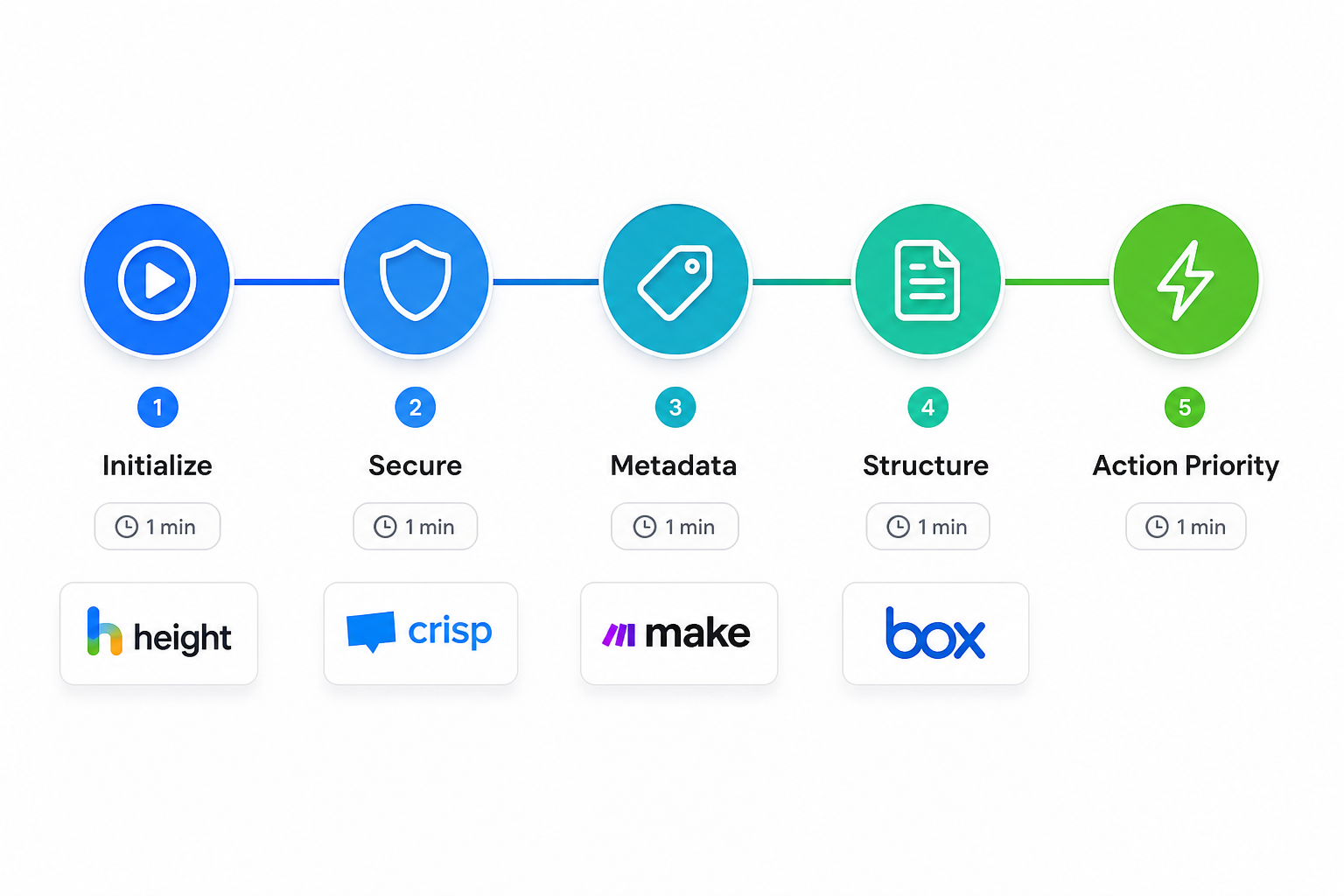
What you'll need for a lightning SEO audit
Before starting the clock, you need to have a few essentials ready. A quick audit relies on having the right data at your fingertips so you don't waste minutes hunting for login credentials or waiting for slow crawlers to respond.
First, you need tool access to a modern analyzer. In 2026, many older tools still struggle with modern web architectures. You want a platform capable of real-time PHP proxy fetching. This is important because it allows the tool to bypass CORS issues that often block browser-based scanners from seeing your full page content. Our SEO Analyzer was designed with this server-side fetching at its core, ensuring you get a complete picture of your HTML every time.
Second, you should have Search Console access available in a separate tab. While an analyzer tells you what's on the page right now, Google Search Console (GSC) tells you how the index actually sees you. Validating your live crawl results against GSC data is the fastest way to spot discrepancies in indexing or manual actions.
Third, prepare your target URL list. Don't try to audit 500 pages in 5 minutes. Focus your efforts on your homepage and your top three high-traffic landing pages. These are the pages that contribute the most to your bottom line and where errors have the highest cost.
Finally, do a quick prerequisite check on your site's access rules. Ensure your robots.txt file isn't accidentally blocking the analyzer's crawl. If you need to refresh your directives, you can quickly build a new file with our robots.txt generator. It's a common mistake to leave "noindex" tags or restrictive crawl rules active after a site migration or update.
Step 1: Initialize your 5-minute crawl
The first minute of your audit is all about initialization. You want a tool that starts working immediately without requiring a complicated setup or account verification just to run a single scan.
To get started, navigate to the SEO Analyzer dashboard. You'll see two primary options: "Live URL" mode and "Pasted HTML" mode. For most audits, you'll want the Live URL mode. This uses our server-side proxy to fetch your page exactly as a search bot would. If you're working on a local environment or a staging site that isn't publicly accessible, the Pasted HTML mode allows you to simply drop in your source code for an instant check.
Once you have selected your mode, enter your URL. You also have the option to include a focus keyword. While optional, we highly recommend this. Including a keyword allows the system to calculate keyword consistency across your titles, headings, and body text. This gives you an immediate "relevance score" that tells you if your page is actually optimized for the term you want to rank for.
As you click "Run SEO Audit," you can monitor the progress through the real-time indicator. Unlike legacy tools that leave you staring at a spinning wheel, our system provides a percentage completion and a live timer. For a standard web page, the analyzer processes over 50 distinct data points in under 60 seconds.
Step 2: Clear the technical blockades
With the data loaded, the second minute belongs to technical health. If a search engine can't crawl or index your page, your content quality doesn't matter. We focus on "blockades" first because they're the most severe errors.
Start with a dedicated indexability check. Look at the "Canonical" tag field in the Audit Overview. You want to verify that the canonical URL matches the current live URL. If these differ, you might be telling search engines to ignore your page in favor of another version, which often leads to duplicate content penalties and split link equity.
Next, assess your crawl visibility. Our tool identifies priority findings to confirm the page is returnable with a 200 status code. If the analyzer returns a 404 (Not Found) or a 500 (Server Error), you have a critical infrastructure issue that needs immediate attention from your hosting provider or developer.
You should also look for specific "blocked" errors. Check the Note section in the Headings & Links table. This section highlights any crawler-specific restrictions, such as "noindex" or "nofollow" tags that might be hidden deep in your metadata. In our experience, these are often "ghost" settings left over from development that can tank your rankings overnight if left unchecked.
Step 3: Polish your metadata for CTR
The third minute is about how you appear in search results. Your title and meta description are your "digital storefront." If they're missing, too long, or poorly written, your click-through rate (CTR) will suffer regardless of your position.
Perform a title tag audit using the Extracted Elements section. For 2026 SERPs, the "sweet spot" for titles is generally between 50 and 60 characters. Anything longer will be truncated in Google's results, potentially cutting off your brand name or your primary call to action. Our analyzer highlights the exact character count so you can trim or expand as needed.
Next, move to meta description optimization. While meta descriptions aren't a direct ranking factor, they're critical for CTR. You should treat this text like "ad copy" for your page. Ensure it includes your primary keyword and a clear value proposition. If you find your current descriptions are lacking, our meta tag generator can help you draft fresh, optimized snippets in seconds.
Finally, look at the snippet preview. Use the extraction data to see how your page likely appears to users. Is the most important information visible? Is the keyword you targeted included in the first 120 characters? Checking this visually is much more effective than just looking at raw data.
Step 4: Audit your content structure and accessibility
Minute four focuses on the internal structure of your page. A well-organized page is easier for users to read and much easier for AI crawlers to understand.
Start by verifying your heading hierarchy. Every page must have exactly one H1 tag that matches the main topic. From there, your structure should follow a logical H2 to H3 flow. If you've an H3 preceding an H2, or multiple H1s, search engines may struggle to identify the primary theme of your content. A clear hierarchy also helps generative AI engines properly attribute information from your site.
Next, check your image alt text. The Headings & Links table in the analyzer specifically identifies images missing alt tags. This is a critical check for two reasons. First, accessibility audits are becoming a standard ranking signal in 2026. Second, missing alt text means you're missing out on valuable traffic from Image Search, which is often less competitive than traditional web search.
You should also review your link density. Look at the ratio of internal links to external links. A healthy page should point to other relevant sections of your own site (link juice flow) while citing authoritative external sources to build credibility. If your internal link count is zero, you're creating "orphan pages" that are difficult for bots to find.
Step 5: Prioritize and action high-impact findings
The final minute of your audit is the most important: deciding what to fix. Data without action is just noise.
Navigate to the Priority Findings panel. We've designed this section to flag items marked "Critical" in red. These are the issues that offer the fastest ranking recovery. Instead of trying to fix 20 minor things, pick the top two critical errors and address them immediately. This focused approach is how you actually see results from a 5-minute audit.
Check your keyword consistency one last time. Compare your focus keyword against the most frequently used phrases in the Extracted Elements section. If your target keyword doesn't appear in your top three most-used phrases, your page may be suffering from "topic dilution." You might be talking around your subject rather than directly about it.
Once you've implemented your changes, the last step is rerunning the audit. Clear your previous results, refresh your page cache, and re-scan. You should see your "SEO Score" increase immediately. This instant feedback loop is what makes the SEO Analyzer such a powerful tool for iterative growth.
Maintaining site health in the 2026 search landscape
The search landscape is more volatile than ever. In 2026, you can't rely on an audit you did six months ago. Sites change, algorithms update, and competitors are constantly optimizing.
We recommend setting weekly gut-checks. Set a calendar reminder to run your top five pages through the analyzer every Monday morning. This habit allows you to catch "decay" before it turns into a major traffic drop. It only takes five minutes, but the cumulative impact on your site health is massive.
You must also maintain a mobile-first priority. With over 63% of searches now occurring on mobile devices, any technical error that affects the mobile viewport is a critical priority. Our analyzer fetches the live mobile view, ensuring that what you see in the audit reflects the experience of the majority of your users.
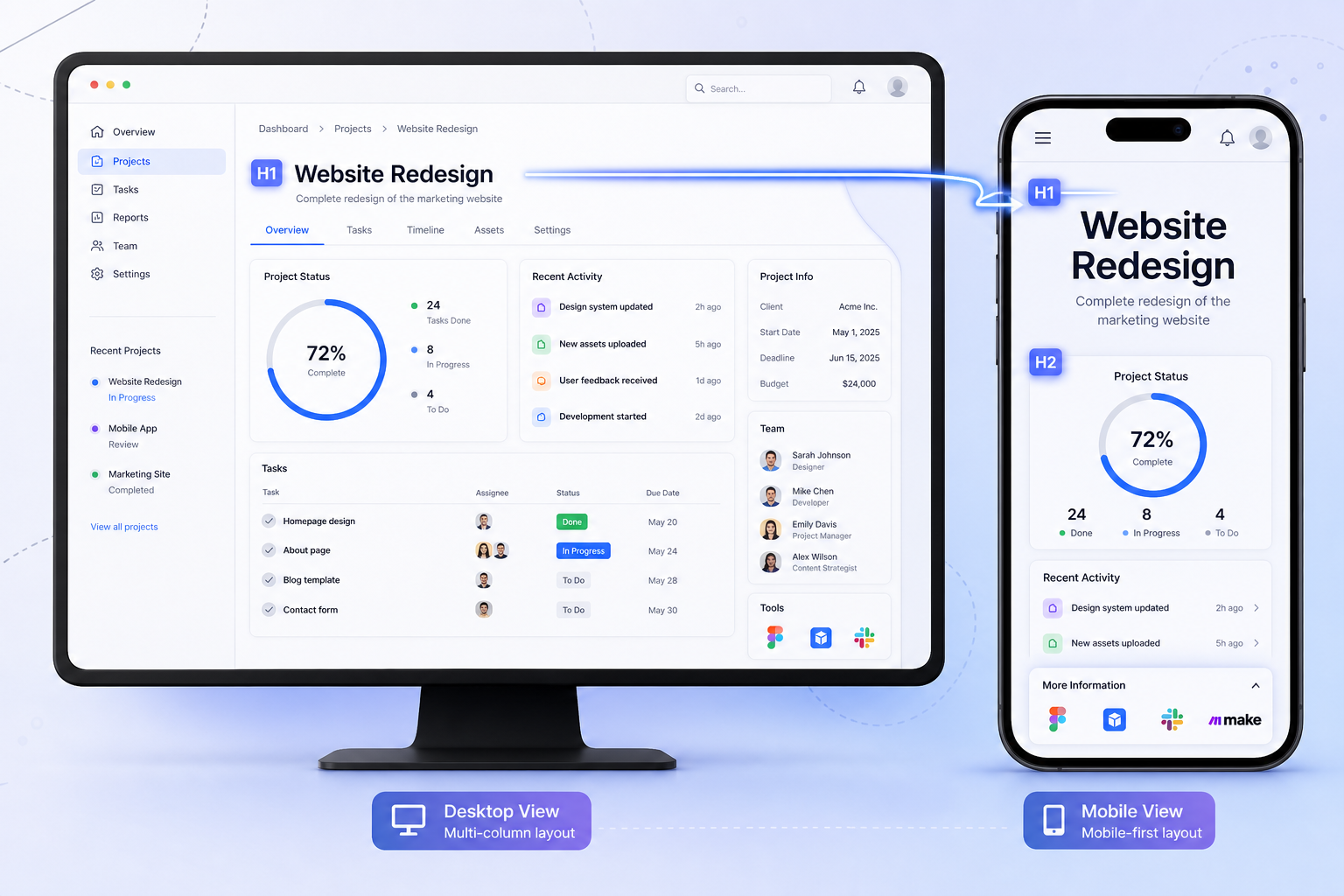
Finally, consider your "GEO readiness." Generative Engine Optimization is no longer optional. Ensure your headings and FAQs are structured clearly. This helps AI engines like ChatGPT and Gemini easily cite your content in their responses. By keeping your HTML clean and your metadata precise, you're essentially making it easier for AI to recommend your business to its users.
Start your 5-minute SEO audit today
The difference between a site that ranks and one that languishes often comes down to consistency. You don't need a massive budget or a team of consultants to improve your search visibility. You just need a reliable workflow and the right tools to execute it.
By following this 5-minute guide, you've cleared the technical blockades, polished your metadata, and optimized your content structure. This proactive approach ensures you stay ahead of algorithm shifts and technical debt.
Bottom line? Don't let your SEO health be a guessing game. Use the SEO Analyzer to get instant feedback on any page. If you're ready to take your strategy further, explore our full SEO Toolkit Pro suite for everything from meta generation to robots management.
Frequently Asked Questions
How accurate is the SEO Analyzer for real-time data?
Our SEO Analyzer uses a live PHP proxy to fetch your page's current HTML on the server side. This ensures that the data you see reflects exactly what a search engine crawler sees at that very moment, bypassing the caching issues common in browser-based tools.
Can I use the SEO Analyzer for sites built on WordPress or Shopify?
Yes, the SEO Analyzer is platform-agnostic. Whether your site is on WordPress, Shopify, or a custom-coded framework, our tool analyzes the outputted HTML. This makes it a universal choice for any web architecture in 2026.
Does the SEO Analyzer check for mobile-friendliness?
While it focuses on technical and on-page elements, the SEO Analyzer identifies mobile-critical tags like viewports and meta structure. Since Google uses mobile-first indexing, the tool helps you identify the structural issues that impact your mobile search performance.
How does the SEO Analyzer help with Generative Engine Optimization?
By identifying heading hierarchy and meta tag errors, the SEO Analyzer ensures your content is structured logically. This structure is what AI engines use to parse, understand, and eventually cite your content in their generative responses.
Is there a limit to how many times I can use the SEO Analyzer?
Our mission is to make SEO practical and accessible. You can run individual audits as often as you need to test changes. For teams managing multiple properties, we recommend checking out the full SEO Toolkit Pro dashboard for more advanced tracking.
What is the benefit of the Pasted HTML mode in the SEO Analyzer?
The Pasted HTML mode allows you to audit code before it even goes live. If you are developing a new landing page or fixing a template, you can paste the source directly into the SEO Analyzer to catch errors before search engines have a chance to see them.
⚡ Run Your 5‑Minute SEO Audit Right Now
Stop guessing. Use the SEO Analyzer to find critical technical gaps, improve CTR, and stay ahead of algorithm changes – all in under 5 minutes.
Start Free SEO Audit →© 2026 SEO Faston Pro — Practical, fast, and effective SEO tools for modern websites.