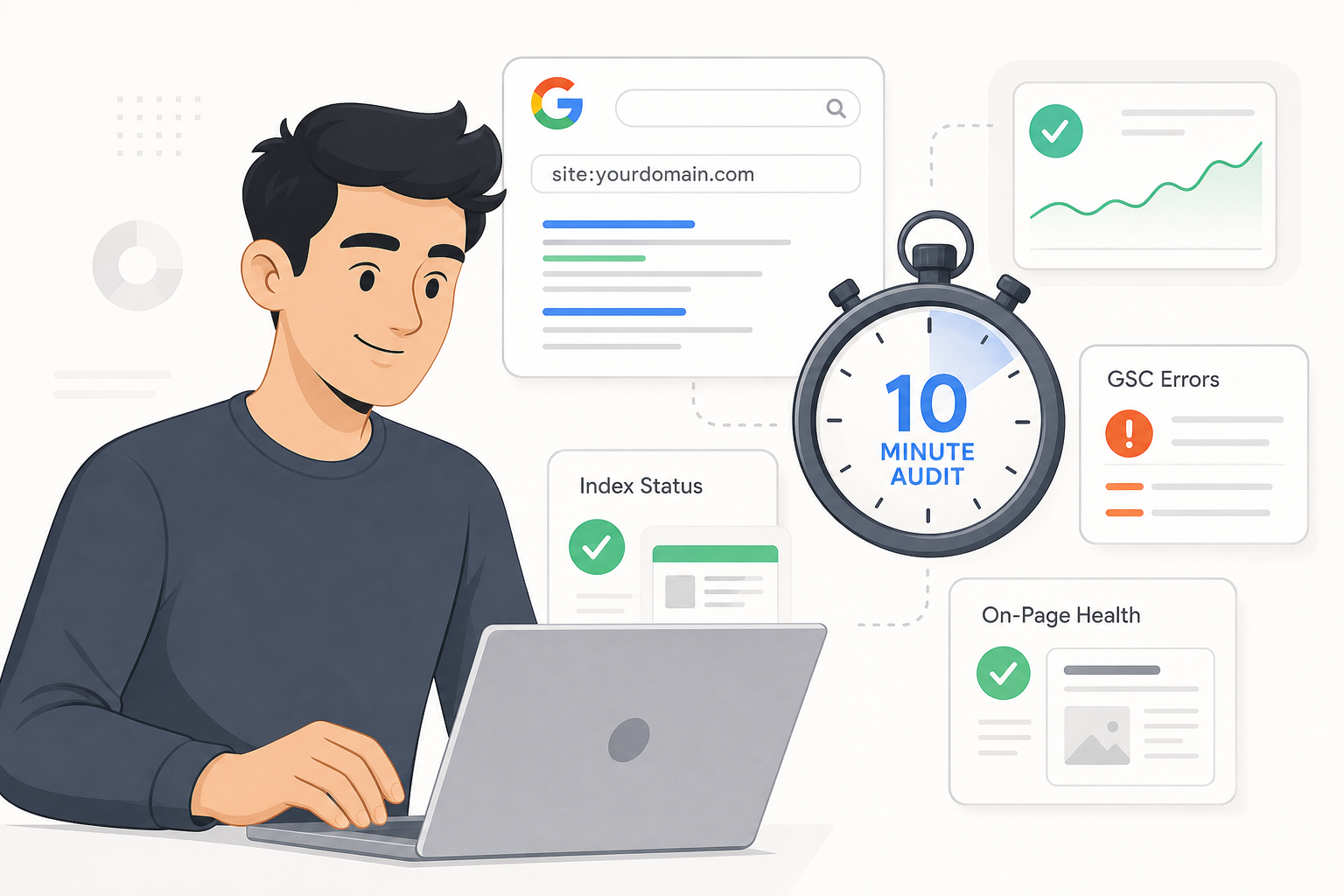
Stop wasting hours on technical jargon. This 10-minute SEO audit framework reveals exactly what's broken on your site and how to fix it fast.
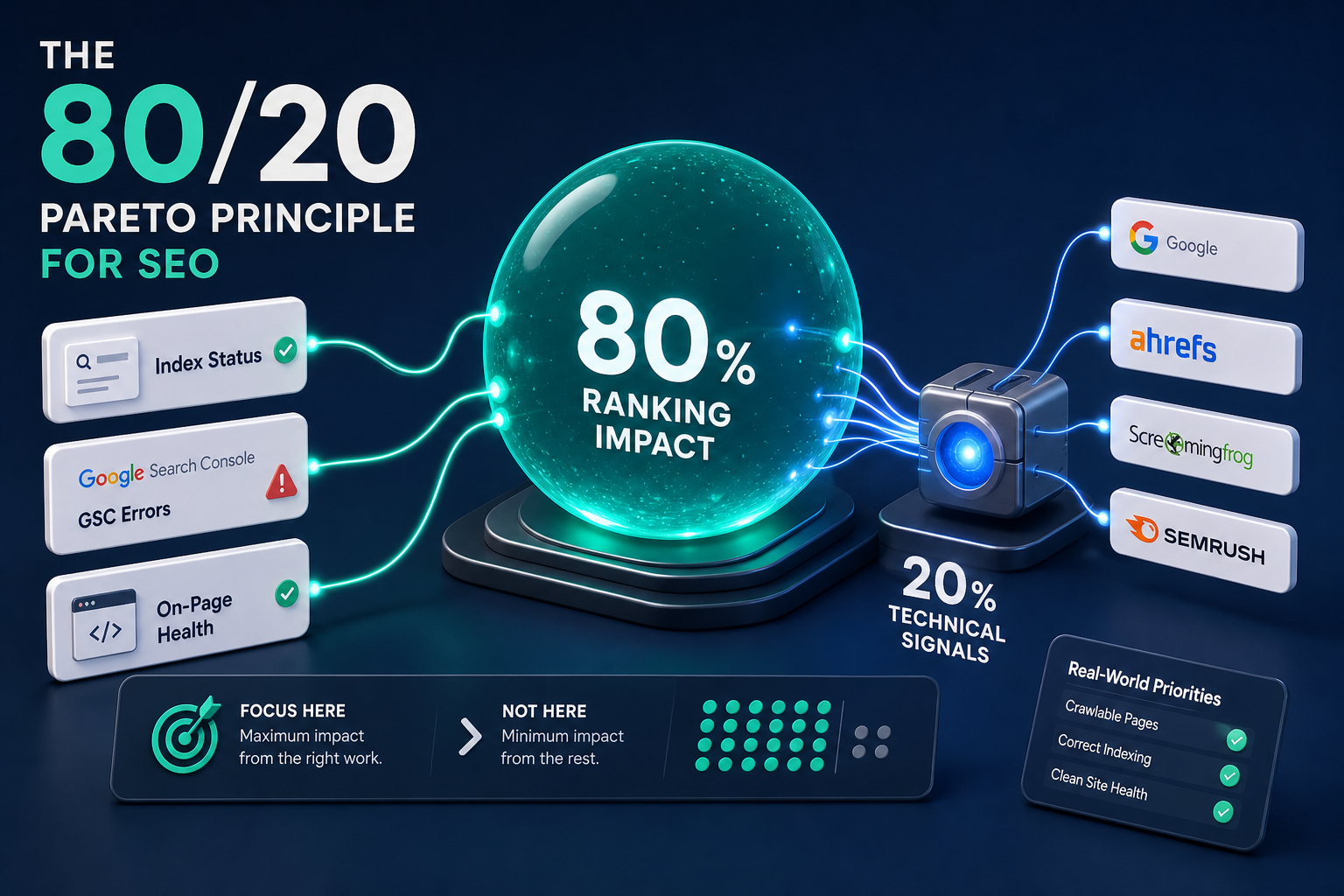
Most SEO audits fail because they bury site owners in 50-page reports rather than focusing on the 20% of technical signals that drive 80% of rankings. We analyzed the top 8 audit frameworks to distill a 10-minute workflow that identifies the critical errors holding your site back right now.
Technical SEO can feel like a bottomless pit of jargon and expensive software. You might think you need a week-long deep dive to see results, but the reality is that most sites are held back by a handful of obvious friction points. By focusing on high-impact areas like index status, search console errors, and on-page health, you can unblock your rankings in less time than it takes to finish a coffee. This guide breaks down the "micro-audit" framework we use to find low-hanging fruit and fix site errors fast.
What is a 10-minute SEO audit?
A 10-minute SEO audit, or "micro-audit," is a focused health check designed to identify the most critical technical and on-page issues affecting your visibility. Unlike a full technical audit that might crawl every single asset on your domain, this framework relies on the 80/20 principle. We are looking for the 20% of technical issues that typically cause 80% of ranking friction.
Speed is a massive competitive advantage in 2026 SEO. The faster you can identify and resolve a crawl error or a meta-data mismatch, the sooner Google can re-index your improved content. This approach isn't about ignoring the details; it's about prioritizing action over analysis paralysis. Many site owners get lost in "technical debt" and never actually implement the fixes that move the needle.
There is also immense value in looking at your site with "fresh eyes." When you browse your own pages every day, you become blind to obvious flaws like broken footers, missing headings, or "junk" pages that have slipped into the index. By stepping back and running this rapid-fire check, you can spot the glaring errors that a user (or a crawler) sees immediately.
Step 1: Check your index status with the 'site:' command
The quickest way to see exactly what Google knows about your site is to use the site: search operator. Simply type site:yourdomain.com into the Google search bar. This simple command reveals the total number of pages Google has indexed and allows you to scan through the actual results users see.
As you scan these results, look for three specific red flags:
- Junk pages: Are you seeing "Hello World" posts, test pages, or archive folders that shouldn't be public?
- Thin content: Do you see dozens of tag or category pages that provide zero value to a human reader?
- Consistency: Are your most important service pages or blog posts appearing at the top, or are they buried under administrative pages?
Identifying exposed data or thin content is vital. If Google is wasting its crawl budget on thousands of useless tag pages, it has less energy to spend on your high-conversion landing pages. Spotting these issues early allows you to use a robots.txt generator to block crawlers from the sections of your site that don't need to be in the index.
Step 2: Diagnose technical friction in Google Search Console
If the site: command is a quick glance from the outside, Google Search Console is the "mission-critical" source of truth from the inside. It provides direct data from the Google index, showing exactly how Google’s crawlers see and interact with your website.
🎥 Demo: Google Search Console provides a direct view into how your site is being indexed and crawled.
The Page Indexing report
Start by opening the Page indexing report (formerly the Coverage report). This section highlights every page Google has encountered and why it may not be indexed. Pay close attention to statuses like "Discovered - currently not indexed" or "Crawl anomaly." These often point to server performance issues or low-quality content that Google has decided isn't worth the effort.
Mobile usability and Core Web Vitals
In 2026, mobile-first indexing is the standard. If your site has elements that are too close together or content wider than the screen, you're essentially invisible to mobile users. Check the Mobile Usability report to ensure every page passes Google's standards.
Next, head to the Core Web Vitals report. This provides a 60-second check on LCP (Largest Contentful Paint), INP (Interaction to Next Paint), and CLS (Cumulative Layout Shift) benchmarks. These real-world usage metrics directly affect your rankings and user experience. If your CLS is high, your layout is shifting as it loads, which is a major usability kill.
| Feature | Audit Check | Source |
|---|---|---|
| Indexing | Check for "Excluded" URLs with errors | GSC Indexing |
| Mobile | Ensure "0 pages with errors" | Mobile Usability |
| Vitals | Verify "Good" status for LCP and CLS | Core Web Vitals |
Step 3: Run the SEO Toolkit Pro Analyzer for on-page health
Manual checks are great, but they're slow. To hit the 10-minute mark, you need automation. We use the SEO Toolkit Pro Analyzer to perform an instant analysis of on-page elements. Instead of right-clicking and viewing source code on every page, you can get a full breakdown of your metadata and structure in seconds.
Automating the metadata and heading check
The analyzer checks your title tags and meta descriptions for length and relevance. In 2026, keeping titles under 70 characters and descriptions under 160 characters is still the baseline for clean search snippets. If your tags are too long, they'll be truncated, which kills your click-through rate. If you find errors, you can quickly draft better versions using a meta tag generator.
Heading structure is equally important. The analyzer visualizes your H1-H3 hierarchy. Every page should have exactly one H1 tag that matches the primary topic. If you see multiple H1s or skipped levels (like jumping from H1 to H3), you're making it harder for crawlers to understand the relationship between your ideas.
Image and link health
Broken internal links are a silent ranking killer. They frustrate users and stop crawlers in their tracks. The SEO Toolkit Pro Analyzer detects these dead ends and identifies missing alt text on your images. Alt text isn't just for accessibility; it's a primary way for Google to understand the context of your visual content.
| Tool | Feature | Benefit |
|---|---|---|
| SEO Analyzer | Real-time URL Audit | Bypasses manual source code checks |
| Meta Generator | Snippet Optimization | Improves click-through rates fast |
| Detailed Extension | Heading Structure Analysis | Spots structural issues in milliseconds |
Step 4: The "weird stuff" audit (UX and design)
SEO isn't just about code; it's about the "bespoke" feel of your brand. If your site looks like a generic template from 2015, users will bounce, and Google will notice. This part of the audit requires you to use your eyes and look for "usability kills."
- Non-retina logos: If your logo looks blurry on a high-resolution phone, it screams "low quality."
- Footer bloat: Are you hiding 500 links in your footer? This dilutes your link equity and looks spammy.
- Overwhelming social buttons: Floating share icons that cover content are a major distraction.
One pro tip: browse your site without JavaScript. Use the Detailed SEO Extension to check if your vital content is still accessible. If your text disappears when JavaScript is turned off, Google might struggle to index your most important information. Does your site look like a professional, established brand, or a generic placeholder? That distinction matters for your "credibility" score.
🎥 Demo: The Detailed SEO Extension allows for a rapid audit of a page's technical elements and heading structure.
Prioritizing your 10-minute findings
Once you've completed your audit, you'll likely have a list of 10 to 20 issues. Don't try to fix everything at once. Over-optimization can be just as dangerous as neglect. Instead, sort your findings by "Actionability" and "Impact."
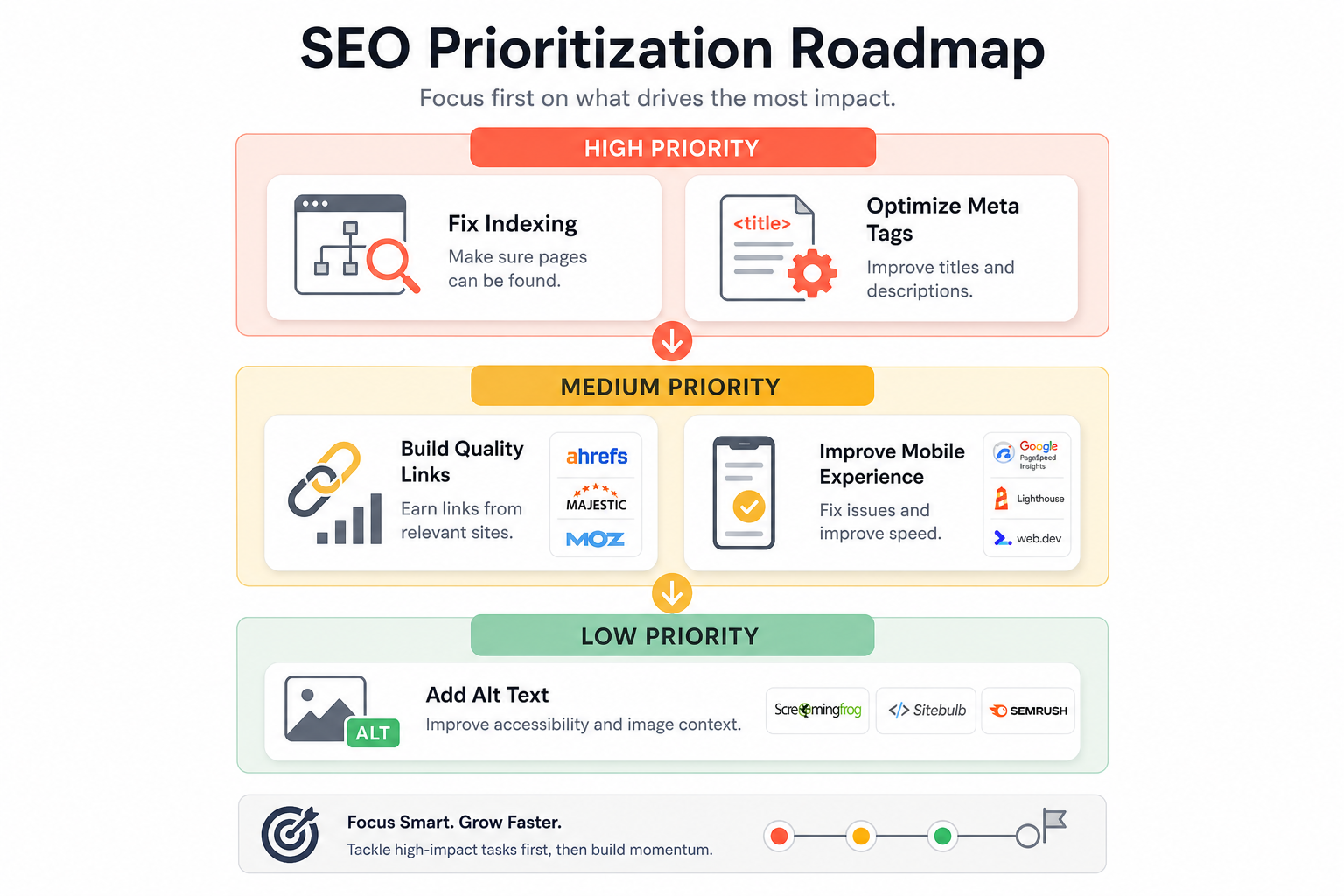
| Priority | Issue Type | Estimated Fix Time | Tool to Use |
|---|---|---|---|
| High | Indexing / Crawl Errors | 15-30 mins | Google Search Console |
| High | Missing / Duplicate Titles | 5 mins per page | Meta Tag Generator |
| Medium | Broken Internal Links | 10 mins | SEO Analyzer |
| Medium | Mobile Usability Fixes | 1-2 hours | CSS / Theme Editor |
| Low | Missing Alt Text | 2 mins per image | CMS / Media Library |
The goal is to create a roadmap for long-term health. Start with the "High Priority" items that affect your site's ability to be indexed. Once the foundation is solid, you can move on to the "Medium" and "Low" impact tasks.
Start your first 10-minute SEO audit today
High-frequency, short audits beat yearly overhauls every time. By spending 10 minutes a week running this framework, you catch errors before they become disasters. You don't need a massive budget or a team of consultants to improve your rankings. You just need the right tools and a structured process.
Bottom line? Speed and clarity are your best friends in SEO. Stop wasting hours on technical jargon and start focusing on the fixes that actually move the needle.
Ready to see how your site stacks up? Use our SEO Analyzer to get an instant report on your on-page health. You can explore the rest of our professional SEO tools to help you build, generate, and optimize your way to the top of the search results.
Frequently Asked Questions
How often should I perform the 10-minute SEO audit?
For most sites, a weekly 10-minute SEO audit is perfect. It allows you to catch indexing errors or broken links before they noticeably affect your rankings.
Do I need expensive software for the 10-minute SEO audit?
No. You can complete the entire 10-minute SEO audit using free tools like Google Search Console and our SEO Analyzer.
Can a 10-minute SEO audit replace a full technical audit?
While a 10-minute SEO audit is excellent for finding high-impact errors, it doesn't replace the need for a deep technical dive once or twice a year for larger sites.
What is the most important part of the 10-minute SEO audit?
Checking your indexing status via Google Search Console is the most critical step. If Google can't index your pages, none of your other SEO efforts will matter.
Will the 10-minute SEO audit help me rank higher immediately?
The 10-minute SEO audit identifies the friction points holding you back. Once you fix those errors, you provide a clear path for Google to rank your content based on its actual value.
Is the 10-minute SEO audit suitable for non-technical site owners?
Yes. This framework is specifically designed to be actionable for anyone, regardless of their technical background.
Does the 10-minute SEO audit work for ecommerce sites?
Absolutely. The 10-minute SEO audit is particularly useful for ecommerce sites to spot duplicate content or broken collection links quickly.
⏱️ Run Your 10-Minute SEO Audit Now
Stop guessing. Use our free SEO Analyzer to instantly find critical errors and fix what's holding you back.
Start Free Audit →© 2026 SEO Faston Pro — Practical, fast SEO tools for site owners.